TL;DR
- A fashion WMS must handle size and colour variants, batch picking across many small orders, and a courier manifest at dispatch.
- Fix receiving first. Every later error, from a wrong pick to a wrong parcel, usually starts with a count that was never checked at the door.
- Roll out in phases: catalogue and locations, one store or channel, then every store. Plan on weeks, not days.
- Commmerce WMS shares one stock record with POS, so warehouse and store numbers do not drift apart.
Table of Contents
- The short answer
- Why fashion needs a different WMS
- Fashion WMS features to compare
- Receiving and putaway
- Picking that survives size variants
- Packing and dispatch
- A phased rollout plan
- How Commmerce WMS fits
- Mistakes to avoid
- FAQ
The short answer
A fashion WMS (warehouse management system) is software that controls how stock is received, stored, picked, packed and dispatched, with controls built for apparel: size and colour variants, seasonal ranges and high return volumes. If you run several stores and sell online too, the useful test is simple. Can the system tell you, at any moment, which exact size of which style sits in which position, and can it stop the wrong item leaving the building?
The table below is the shortlist to carry into any vendor demo, including ours.
| Fashion WMS need | Why fashion is different | What to check in a demo |
|---|---|---|
| Size and colour variants | One style is many SKUs, and a wrong size is a wrong item | Can a picker scan the exact variant, not just the style? |
| Batch picking | Many small orders with overlapping styles | Does one pick run cover several orders, with each order's items kept apart? |
| Shortage handling | Shelf counts drift fast in apparel | What happens when a picker finds less than the system says? |
| Courier manifest | Several couriers, daily handovers | Are parcels grouped by courier and handed over against a manifest? |
| Store connection | Stores double as fulfilment points | Does stock move between branches and the warehouse in the same system? |
Why fashion needs a different WMS
Grocery and electronics have large volumes of identical units. Fashion has the opposite problem: a modest number of styles that explode into many size and colour combinations, many of which sell in single pieces. A shirt in the wrong size looks almost identical to the right one on a shelf, so a manual check fails exactly where the cost of a mistake is highest: the customer opens the parcel and returns it.
Three patterns make apparel warehouses harder to run than most:
- Variants. Stock is tracked per size and colour, so a counting or picking error is invisible until a size sells out while the system still shows it.
- Seasons. New collections arrive in bursts, and old ranges need to be moved to markdown positions quickly.
- Many small orders. Online orders are often one or two pieces, while store replenishment moves cartons. One warehouse serves both.
Traditional accounting tools such as Tally Prime or Marg ERP were built to keep books, not to direct a picker through a warehouse. Chains that outgrow spreadsheets usually find the gap at the shelf, not in the ledger.
Fashion WMS features to compare
Use this stage by stage view to see what a system should enforce at each step. If a vendor cannot show a step live, treat it as manual.
| Stage | What goes wrong without a system | What a WMS enforces |
|---|---|---|
| Receiving | Cartons opened, counted by eye, entered later | Receive against what was sent or ordered, line by line |
| Putaway | Stock lands wherever there is space | A known position for each product |
| Picking | Pickers walk back and forth, wrong size picked | Route order and a barcode scan at each location |
| Packing | Missing inserts, wrong box, no check | Scan, checklist, packaging suggestion, label |
| Dispatch | Parcels handed over with no record | Group by courier, manifest, status to Shipped |
Receiving and putaway
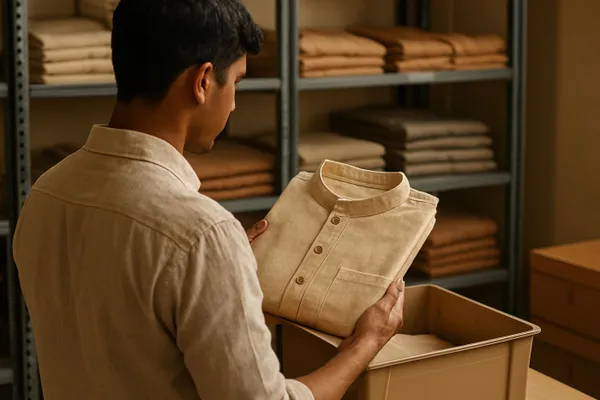
Receiving is where inventory accuracy is won or lost. When a delivery arrives, the team should record what actually came, compare it with what was ordered or sent, and accept or reject it line by line. In Commmerce, accepting a stock entry adds the accepted quantity to what the branch already holds and writes the received quantities back to the purchase order, so a second delivery of the same product adds to the first instead of replacing it.
Putaway follows. A product should have positions it belongs in, and a position should know how much it can hold. Without that, new stock is dropped in whatever space is free and picking time grows.
For fashion, also decide how you will label. Barcodes at the variant level (style, colour and size) let a scan prove the exact item. Agree the barcode standard with suppliers before the first big delivery, not after.
Picking that survives size variants
Picking is the most repeated task in the warehouse, so it is where software pays back fastest. Three controls matter for fashion:
- Consolidated pick runs. Identical items across several orders are batched into one run, so a picker does not walk to the same shelf five times.
- A walking route. Commmerce WMS uses a serpentine route built from sub-location coordinates, which needs positions with row, column and level set.
- Scan to confirm. The picker scans the barcode at each location to confirm the item and quantity, which catches the wrong size at the shelf rather than at the customer.
On a multi-order pick, cart slots show which orders get how many of what is being picked, so items stay matched to the right order. We cover the walking-time side in how batch picking cuts walking time.
Shortages need a rule too. When a picker finds less on the shelf than the system expected, the shortage is reported with a reason. The pick is redirected to another position holding enough of the same product, that position is treated as in doubt, and a count is raised for the one product so somebody checks what is really there. That is better than letting the next picker quietly correct the number.
Size gaps also cost sales at the till. See how broken size runs cost apparel stores full-price sales for the retail side of the same problem.
Packing and dispatch
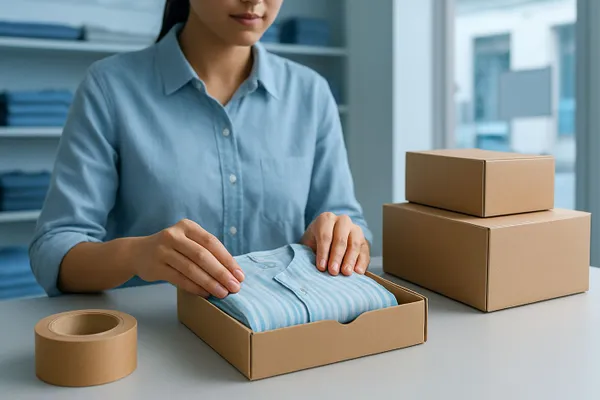
At the packing station the packer scans the tote, verifies items against a checklist, adds inserts such as the invoice, and prints the shipping label. Commmerce suggests a box or bag from item dimensions and weight, which cuts the guesswork on small apparel parcels.
Dispatch is the step most chains still do on paper. Packed orders are scanned and grouped by courier, a shipping manifest is printed, and the courier signs against it. When a pickup count disagrees, the manifest settles it. Commmerce Delivery Hub lists carrier integrations including Delhivery, BlueDart, DTDC, Ecom Express, FedEx, India Post, Shiprocket, Porter, Shadowfax, FShip, DHL and UPS, and the KB notes that some carriers are still in UAT testing, so confirm your carrier before you plan around it.
If couriers mark parcels as missing at pickup, our guide to fixing courier pickup mismatches with a manifest walks through the handover.
A phased rollout plan
Timelines depend on your SKU count, number of locations and hardware. Most chains should plan for weeks, and avoid cutting over in the middle of a sale or a festive season. A sensible sequence:
- Catalogue and locations. Clean the product list, set up variants and barcodes, and define zones, aisles, racks and bins. A quick-build wizard can create a whole warehouse structure in one step.
- Hardware and staff setup. Barcode scanners, label printers, mobile devices for pickers, and picker settings for the zones each person covers.
- Pilot. Run one channel or one store group through the new flow while the old process continues in parallel, and compare counts.
- Cutover. Move all online orders to WMS picking and dispatch on a low-volume day.
- Store integration. Connect store stock transfers and replenishment. Our guides on stock transfer automation and central warehouse distribution cover this phase.
Run a stock take or cycle count before go-live so the system starts from numbers you trust. Commmerce supports full counts and scheduled cycle counts, and a finished count waits for manager approval before stock moves.
How Commmerce WMS fits
Commmerce WMS is a module of the Commmerce platform that turns accepted orders into picked, packed and dispatched shipments. It runs from the same offline-capable codebase as POS and syncs in real time, so stock is one record rather than a warehouse copy and a store copy. Orders accepted in POS enter the pick queue automatically. Pickers can be assigned by Round Robin, Least Loaded or Zone Affinity, and a pick can be offered to a role so whichever picker is free takes it.
It is built for retailers fulfilling a few dozen to several thousand orders a day from one or many locations. It is not for owners who want to keep fulfilment manual. Two limits worth knowing: automatic replenishment triggers are on the roadmap, so replenishment is started by a person today, and RFID receiving is not described as a WMS feature. For fashion specific setups, see our fashion retail page, or Schedule a Demo to see the pick, pack and dispatch flow on your own catalogue.
Mistakes to avoid
- Skipping the data clean-up. Duplicate styles and missing barcodes follow you into the WMS.
- Automating a broken process. Decide who receives, who picks and who packs before you configure anything.
- Ignoring returns. Returned stock needs a route back to a pickable position, or it sits unsold.
- Going live everywhere at once. A pilot finds layout and barcode problems cheaply.
- Trusting the system without counts. Keep scheduled cycle counts running after go-live.
Frequently Asked Questions
Q: What is a fashion WMS?
A: A fashion WMS is warehouse software that manages receiving, putaway, picking, packing and dispatch while handling size and colour variants, seasonal ranges and returns. It keeps one stock record across the warehouse and the stores.
Q: What features should a fashion warehouse management system have?
A: Look for variant level barcode scanning, batch picking, a shortage workflow, packing checks, courier manifests and a stock record shared with your stores and online channel. Ask the vendor to show each live.
Q: How is a fashion WMS different from a general WMS?
A: Fashion stock is tracked per size and colour, sells in small quantities and returns often. A general WMS built for identical bulk units can miss that, so check variant handling first.
Q: Can a small fashion chain use a WMS?
A: Yes, once online orders or several stores make manual picking and dispatch error prone. Commmerce WMS scales from one location to many, though it suits operations that want a defined process.
Q: How long does a fashion WMS rollout take?
A: It depends on SKU count, locations and hardware. Plan for several weeks in phases: catalogue and locations, pilot, cutover, then store integration. Avoid going live in peak season.
Q: Does a WMS reduce wrong-size shipments?
A: Scanning the barcode of the exact variant at each pick location and checking items at the packing station catch wrong sizes before dispatch. No system removes mistakes entirely, so keep cycle counts running.
Q: Does Commmerce WMS support RFID?
A: The Commmerce product knowledge base does not list RFID receiving as a WMS feature, so we do not claim it. Barcode scanning is supported at pick, pack and dispatch.
Note: Commmerce product features described here are accurate as of October 2026 and may change. This guide contains no pricing or regulatory figures, so check any vendor quote and your own tax obligations with official sources.