Sell on Swiggy Instamart, Blinkit & Zepto: Guide for Indian Grocery Chains
Table of Contents
- Introduction
- The Problem Indian Grocery Retailers Face on Quick Commerce
- What to Look For in a Quick Commerce Management Solution
- Step-by-Step: How to Sell on Swiggy Instamart, Blinkit, and Zepto
- How Commmerce Helps Grocery Chains Win on Quick Commerce
- Conclusion
- FAQs
TL;DR
- Selling on Swiggy Instamart, Blinkit, and Zepto requires accurate real-time inventory sync across all channels or you will face cancellations and penalties.
- Multi-store grocery chains need a unified Order Management System to route quick commerce orders to the right branch and fulfil them within the platform SLA windows.
- Commmerce is an Omnichannel Retail Operating System that connects your physical stores, online storefront, and quick commerce channels in one platform, eliminating the need for disconnected tools like Tally, Marg ERP, or manual spreadsheets.
- Onboarding onto quick commerce platforms requires a valid FSSAI licence, GSTIN, and a structured product catalogue - getting these right upfront saves weeks of back-and-forth with partner teams.
Introduction: Why Indian Grocery Chains Must Sell on Swiggy Instamart, Blinkit, and Zepto
Selling on Swiggy Instamart, Blinkit, and Zepto is no longer optional for Indian grocery chains that want to stay competitive. Quick commerce, the model of delivering groceries and daily essentials within 10 to 30 minutes, has reshaped how urban Indian households shop. According to industry estimates, quick commerce now accounts for a significant and growing share of organised grocery retail in India's top metros, with platforms like Blinkit, Zepto, and Swiggy Instamart expanding their dark store networks rapidly across Tier 1 and Tier 2 cities.
For Indian grocery retailers with 2 to 50 stores, this creates both an opportunity and an operational challenge. The opportunity is obvious: millions of customers, zero delivery headache on your end, and instant reach beyond your store's catchment area. The challenge is less discussed but far more damaging: managing live inventory, order routing, and catalogue updates across three or more quick commerce platforms simultaneously, without breaking your in-store operations.
This guide walks you through exactly how to get listed on these platforms, what operational infrastructure you need, and how an omnichannel approach prevents the most common and costly mistakes grocery chains make when going live on quick commerce.
The Problem Indian Grocery Retailers Face on Quick Commerce
The core problem is not getting listed. It is staying operational after you go live. Most grocery chains that onboard onto Swiggy Instamart, Blinkit, or Zepto do so using the same disconnected tools they have always used: Tally or Marg ERP for billing, a separate spreadsheet for online stock, and WhatsApp for coordinating between store staff. That patchwork collapses within days of going live on a fast-moving platform.
Here are the specific pain points grocery chains report after launching on quick commerce platforms:
- Stock mismatches: The quantity listed on Blinkit or Zepto does not match what is physically on the shelf. Orders come in for items already sold in-store, leading to cancellations, customer complaints, and platform penalties.
- No real-time visibility across branches: A chain with five stores does not know which branch has stock of a particular SKU when an order arrives. Fulfilment gets delayed or fails entirely.
- Catalogue management chaos: Updating a price or removing an out-of-stock product requires logging into three separate platform portals, a slow and error-prone process during peak hours.
- Order routing is manual: Without an Order Management System, staff have to manually check orders on each platform's tablet or app and decide which branch fulfils what. This breaks down during high-volume periods like weekends or festive sales.
- Billing and GST errors: Transactions from quick commerce platforms need to be reconciled with the store's GST returns. Without automated integration, this becomes a manual accounting exercise every month, increasing the risk of errors in GSTR-1 and GSTR-3B filings.
Retailers using legacy billing tools like Vyapar, Marg ERP, or TallyPrime face an additional structural problem: these tools were designed for single-channel billing and are not built to sync live inventory with external marketplace APIs. They can generate invoices, but they cannot tell Blinkit in real time that you just sold the last unit of a SKU to a walk-in customer. That gap is where most quick commerce operations go wrong.
For a deeper look at how order errors compound across channels, read How Indian Grocery Chains Can Use OMS to Cut Order Errors.
⚠️Watch OutQuick commerce platforms track your cancellation rate closely. A high cancellation rate due to stock mismatches can get your store temporarily suspended or permanently de-ranked in search results on the platform.
What to Look For in a Quick Commerce Management Solution
The right foundation for selling on Swiggy Instamart, Blinkit, and Zepto is a unified omnichannel platform that treats your physical stores and quick commerce channels as parts of one connected operation, not separate systems that occasionally talk to each other.
Before evaluating any tool, grocery chain owners should look for the following non-negotiable capabilities:
Real-Time Inventory Sync Across All Channels
Your stock levels on Blinkit, Zepto, and Swiggy Instamart must reflect actual on-shelf availability at all times. Every sale, whether at the counter, through your own website, or through a quick commerce platform, must deduct from a single inventory pool. A system that updates stock every few hours is not sufficient for a platform where orders are expected to be picked in under 10 minutes.
Centralised Order Management System
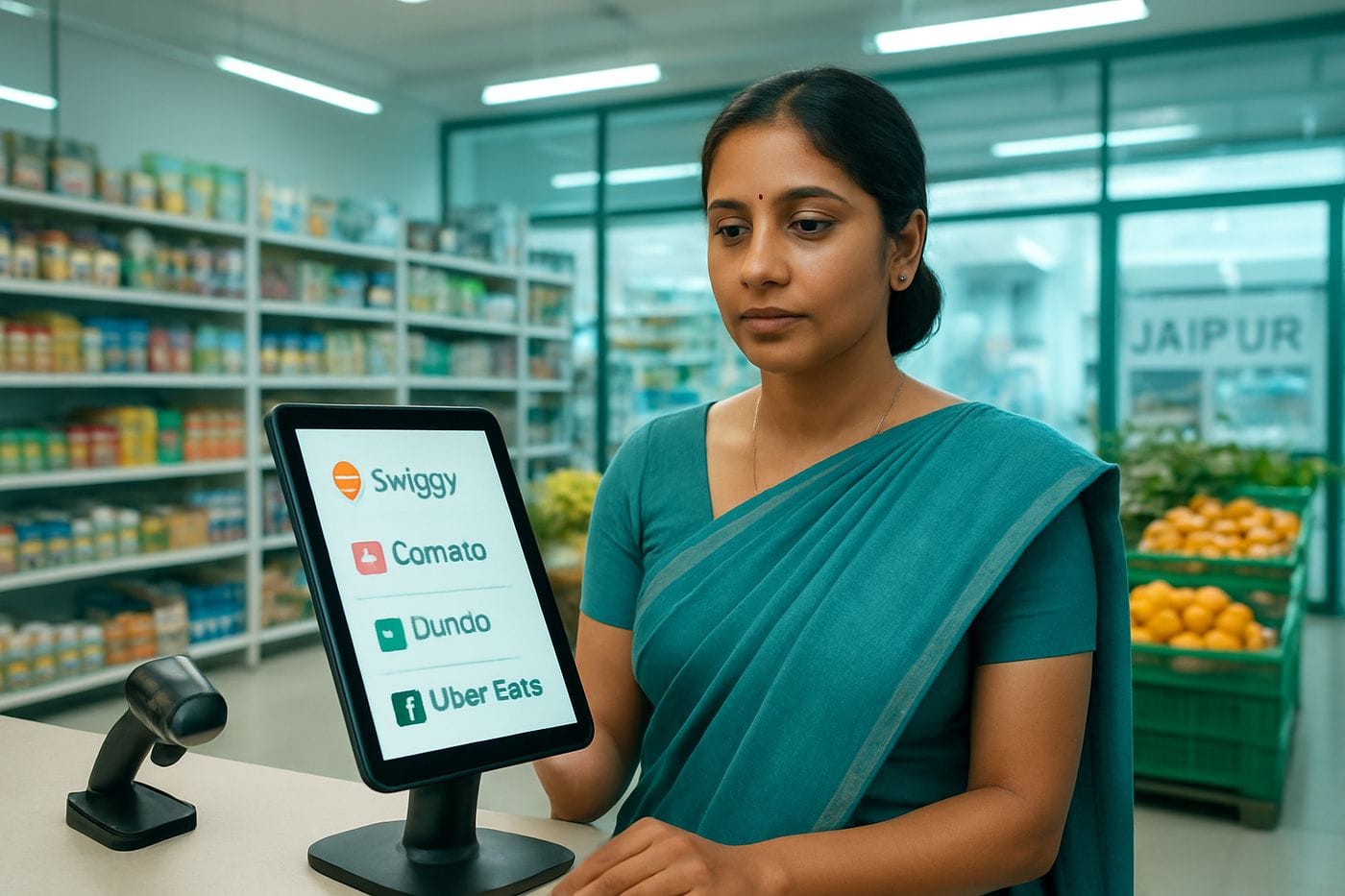
A dedicated Order Management System (OMS) aggregates incoming orders from all quick commerce platforms into one queue. It routes each order to the correct branch based on proximity or stock availability, assigns it to a picker, and tracks its status through to handoff. Without this, you are managing three separate tablet screens simultaneously and hoping nothing falls through the cracks. Learn more about the role of OMS in grocery operations in our guide on How Indian Grocery Chains Can Use OMS to Cut Order Errors.
Unified Product Catalogue Management
A single catalogue that pushes updates simultaneously to all connected channels is essential. When you change a price, add a new SKU, or mark a product as out of stock, that change must propagate everywhere automatically. Managing catalogues manually across three platforms is a full-time job and a constant source of errors.
GST-Compliant Billing and Reconciliation
Every order fulfilled through a quick commerce platform is a taxable transaction. Your billing system must generate GST-compliant invoices for each order and reconcile revenue from platform payouts with your books. The Goods and Services Tax Network (GSTN) mandates that all registered businesses report turnover accurately across channels, including digital sales. A disconnected billing tool will make this reconciliation painful and risky.
Offline Capability for In-Store Operations
Your physical store's POS must continue operating even if the internet goes down. Quick commerce platform connectivity can be restored once the connection returns, but in-store billing cannot afford to halt. An offline-first POS that syncs automatically when back online protects both your walk-in customers and your quick commerce fulfilment continuity.
💡Pro TipSet up barcode-based inventory tracking before you go live on any quick commerce platform. Manual stock counts are too slow for the pace at which quick commerce orders arrive during peak hours.
Step-by-Step: How to Sell on Swiggy Instamart, Blinkit, and Zepto
Getting your grocery chain live on Swiggy Instamart, Blinkit, and Zepto involves a structured onboarding process on each platform, combined with internal operational preparation. Here is a complete step-by-step process:
Step 1: Prepare Your Documentation
All three platforms require the following before approving your merchant account:
- Valid FSSAI licence (basic or state/central depending on your turnover)
- GSTIN registration certificate
- Business PAN
- Current bank account details for payout processing
- Store address proof and identity proof for the proprietor or authorised signatory
If your store is not yet GST-registered, visit the GSTN portal to complete registration before applying to any platform. Operating without GSTIN on a quick commerce platform creates serious compliance exposure.
Step 2: Register on Each Platform's Merchant Portal
Each platform has its own partner or merchant onboarding portal. Submit your documents, complete the KYC process, and wait for approval. Approval timelines vary, typically ranging from a few days to two weeks, depending on your city and the platform's current onboarding queue.
Step 3: Build and Upload Your Product Catalogue
This is where most retailers lose time. Each platform requires a structured product catalogue with SKU codes, barcodes (EAN/UPC), product names, categories, MRP, selling price, pack size, and images. Prepare a master catalogue spreadsheet first. If you are using an omnichannel platform that supports centralised catalogue management, you can upload once and push to all channels simultaneously.
Key points to get right in your catalogue:
- Use consistent SKU codes that match your internal inventory system
- Ensure MRP matches what is printed on the product packaging (mandatory under Legal Metrology rules)
- Set accurate pack sizes and units of measure for weighed items like grains or pulses
- Upload clear product images on a white background, as platforms use these for their in-app listings
Step 4: Set Up Your Inventory Buffer
Before going live, configure an inventory buffer: a quantity held back from the platform's visible stock to protect against the gap between a sale and your system's sync. For example, if you have 20 units on the shelf, you might list 15 on the platform. This buffer reduces cancellations during the initial period while you tune your sync frequency. As your real-time inventory integration matures, you can reduce or eliminate this buffer.
Step 5: Configure Store Timings and Delivery Radius
Each platform allows you to set your store's operating hours and the delivery radius it serves. Match these to your actual operational capacity. Going live with a radius that your picking team cannot realistically fulfil within SLA windows leads to late deliveries, poor ratings, and customer complaints.
Step 6: Train Your Store Staff on Fulfilment Workflows
Quick commerce orders need to be picked, packed, and handed to the platform's delivery partner within a very tight window, often 5 to 10 minutes. Train a dedicated picking team, establish a clear shelf organisation system, and use barcode scanners or RFID-based picking if your volumes justify it. For guidance on setting up your fulfilment workflow, read our Quick Commerce Setup for Indian Grocery Chains: 10-Min Delivery Hub Guide.
Step 7: Monitor Performance and Optimise
After going live, track your cancellation rate, acceptance rate, and average fulfilment time on each platform's merchant dashboard. Also monitor which SKUs are generating the most orders versus which are causing the most cancellations. Adjust your catalogue, pricing, and stock replenishment cycles accordingly. For longer-term stock health, read our guide on How Indian Grocery Chains Can Cut Dead Stock with Demand Forecasting.
| Capability | Legacy Tools (Tally, Marg, Vyapar) | Omnichannel Platform (Commmerce) |
|---|---|---|
| Real-time inventory sync across channels | Not supported | Yes, across all branches and channels |
| Centralised OMS for quick commerce orders | Not supported | Yes, unified order routing and fulfilment |
| GST-compliant billing and e-invoice | Partial (manual reconciliation needed) | Yes, automated across all channels |
| Offline POS for in-store billing | Varies by product | Yes, offline-first with auto-sync |
| Multi-store management from one dashboard | Not supported | Yes, all branches in one view |
How Commmerce Helps Grocery Chains Win on Quick Commerce
Commmerce is an Omnichannel Retail Operating System built specifically for Indian retailers with 2 to 50 stores. For grocery chains looking to sell on Swiggy Instamart, Blinkit, and Zepto without breaking their in-store operations, it provides the unified infrastructure that makes multi-channel grocery retail operationally viable.
One Inventory Pool Across Every Channel
Commmerce maintains a single, centralised inventory pool that is shared across your physical store, your own online storefront, and your connected sales channels. Every transaction, whether a walk-in purchase billed at the POS or an order dispatched from a quick commerce platform, deducts from the same stock count in real time. This eliminates the stock mismatch problem that causes cancellations and platform penalties.
Unified OMS for Quick Commerce Order Routing
Commmerce's built-in Order Management System aggregates orders from all connected channels into a single operations queue. For multi-store grocery chains, it applies configurable routing logic to assign each incoming quick commerce order to the branch that is best placed to fulfil it, based on proximity to the customer or real-time stock availability. Staff at each branch see only the orders assigned to them, reducing confusion and improving pick accuracy.
Barcode and RFID-Based Picking for Fast Fulfilment
Commmerce supports barcode and RFID-based inventory tracking, which enables fast, accurate picking for quick commerce orders. When a picker scans a barcode against an order, the system confirms the item is correct and updates its status immediately. This reduces picking errors and ensures the platform's SLA windows are met consistently.
GST-Compliant Billing Across Every Transaction
Every order, whether in-store or through a quick commerce platform, is billed with full GST compliance. Commmerce supports e-invoice generation, integrates with Tally Prime for accounting, and connects to the GSTN e-invoice infrastructure. This means your revenue from Blinkit, Zepto, and Swiggy Instamart flows automatically into your compliant books without manual reconciliation.
Offline-First POS That Never Stops
Commmerce's POS is offline-first: it continues billing in-store customers even when the internet is down and syncs all transactions automatically when connectivity is restored. This means internet disruptions never create a situation where your store grinds to a halt, and your in-store operations remain stable regardless of what is happening with your quick commerce connectivity.
Runs on Any Hardware Your Team Already Owns
Commmerce runs on Windows, Mac, Android, iOS, and web browsers. It installs on the affordable generic devices your store staff already use, with no need for expensive proprietary billing terminals. For a grocery chain rolling out across multiple branches, this dramatically reduces hardware procurement costs and deployment time.
Customer Loyalty and CRM Across Channels
Customers who buy from your store in-person and through quick commerce platforms can be unified into one customer profile. Commmerce's built-in CRM and loyalty features let you track purchase history across channels and run targeted promotions simultaneously across all stores, something that is impossible with disconnected billing tools.
.Running a grocery chain in India? See how Commmerce unifies your stores, inventory, orders, and quick commerce channels in one platform built for Indian retailers.
Conclusion
Selling on Swiggy Instamart, Blinkit, and Zepto represents one of the highest-growth revenue channels available to Indian grocery chains right now. But going live without the right operational foundation creates more problems than it solves: stock mismatches, cancellations, manual reconciliation, and staff burnout from managing three separate platform dashboards simultaneously. The retailers who succeed on quick commerce are those who treat it as one channel within a unified omnichannel operation, not a standalone tablet-on-the-counter experiment. Getting your FSSAI and GST documentation in order, building a clean centralised catalogue, setting up real-time inventory sync, and routing orders through a proper OMS are the steps that separate grocery chains that scale on quick commerce from those that quietly go offline after a few months. With the right platform underneath, selling on Swiggy Instamart, Blinkit, and Zepto becomes a repeatable, profitable channel rather than an operational liability.
FAQs
Q: How do I list my grocery store on Swiggy Instamart, Blinkit, and Zepto?
A: To list your grocery store on Swiggy Instamart, Blinkit, and Zepto, you need to register as a merchant on each platform's partner portal, provide your FSSAI licence and GSTIN, upload a structured product catalogue with SKUs and images, and configure your store timings and delivery radius. Using an omnichannel platform like Commmerce lets you manage all three channels from one dashboard without duplicating catalogue work.
Q: What documents are required to sell on quick commerce platforms in India?
A: Indian grocery retailers need a valid FSSAI licence, GSTIN registration certificate, a current bank account for payouts, and identity or address proof for the business owner to onboard onto Swiggy Instamart, Blinkit, or Zepto.
Q: How do I manage inventory across Blinkit, Zepto, and my physical store at the same time?
A: Managing inventory across quick commerce platforms and your physical store requires a centralised inventory management system that updates stock in real time across all channels so that every sale, wherever it happens, deducts from a single shared pool. Commmerce, an Omnichannel Retail Operating System, provides exactly this capability for Indian grocery chains with multiple branches.
Q: What is the commission charged by Swiggy Instamart, Blinkit, and Zepto?
A: Commission rates on quick commerce platforms vary by product category and are updated periodically, so retailers should always check the current merchant terms directly on each platform's official partner portal before finalising their pricing strategy.
Q: Can a multi-store grocery chain manage all quick commerce orders in one place?
A: Yes. A multi-store grocery chain can manage all quick commerce orders in one place using an omnichannel Order Management System that aggregates orders from Swiggy Instamart, Blinkit, and Zepto into a single queue, routes each order to the nearest or best-stocked branch, and tracks fulfilment status in real time.
Disclaimer: This article is for general informational purposes only and does not constitute legal, financial, or tax advice. GST rules, compliance requirements, and platform features may change over time. Please verify the latest guidelines with a qualified professional or refer to official sources such as the GSTN or CBIC. Market statistics mentioned are based on publicly available estimates and may not reflect current figures. Commmerce product features referenced are accurate at the time of writing and subject to change.