A warehouse management system (WMS) is software that tells your team where stock sits, which orders to pick next, in what order to walk the aisles, and confirms every item with a barcode scan before it ships. For a small Indian retailer, it replaces memory and WhatsApp messages with a defined pick, pack and dispatch routine.
Does a small retailer really need a WMS?
Usually not on day one, but sooner than most owners expect. The trigger is not company size. It is the moment the same few people cannot remember where everything is and which order is which.
Here is the pattern we see in Indian stores that start selling online alongside the shop. Five orders a day are fine. At twenty or more a day, with two or three people picking, the wrong size goes out, a parcel waits because nobody knows who owns it, and a customer returns it. Each return costs freight both ways and a unit that sits unsellable for days. The retail market itself keeps growing, as IBEF's retail industry overview describes, and online orders are a big part of the added load on small back rooms.
What does a WMS actually do, compared with a spreadsheet or an inventory app?
A spreadsheet records what you have. An inventory app records what you have and what sold. A WMS adds the physical work: where each unit lives, who picks it, and proof that the right unit reached the right parcel.
| Question | Spreadsheet | Inventory app | WMS |
|---|---|---|---|
| Knows total stock | Yes, if updated by hand | Yes | Yes |
| Knows the shelf or bin of each item | Only if you type it | Sometimes | Yes, by position |
| Builds a pick list from orders | No | Rarely | Yes |
| Orders the walk through the aisles | No | No | Yes |
| Checks every item by barcode | No | At billing only | At pick, pack and dispatch |
| Handles several orders in one trip | No | No | Yes, with batch picking |
What are the signs you have outgrown manual picking?
Watch for repeatable symptoms, not a feeling. If two or more of these happen every week, manual picking is already costing you.
- Wrong item shipped. Look-alike products or sizes sit next to each other and nobody verifies the pick.
- Stock the screen shows but nobody can find. This is usually a putaway gap. Read how putaway delays hide sellable stock.
- Pickers walking the same aisle several times for orders that could have been collected in one trip. See how batch picking cuts walking time.
- Counts that never match. A cycle counting routine helps, but it cannot fix a process with no scan checks.
- One person who knows where everything is. When they are absent, dispatch slows down.
How to decide and set up a WMS for a small warehouse
Treat the decision as a trial on one slice of your operation, not a company-wide switch. These steps keep the risk small.
- Count your daily online and walk-in dispatch orders for two weeks, and note the average and the busiest day.
- Log every wrong-item, missed-order and return caused by a pick or pack mistake, with a rough rupee cost of freight and lost sales.
- Name your storage positions, such as rack, shelf and bin, and label them so that every unit has one home.
- Assign products to the positions where they belong, so receiving and picking use the same map.
- Run one location or one product category through scan-verified pick, pack and dispatch for two weeks.
- Compare the error log and the time per order with your baseline, then extend to the rest of the stock.
Do the labelling first. Software cannot guide a picker to a bin that has no name. Good warehouse slotting makes every later step faster.
What does a wrong pick really cost a small retailer?
A wrong pick costs far more than the item. You pay outbound freight, then return freight, then wait for the unit to come back, be checked and be put away again. During that time it cannot be sold to anyone.
The mechanism matters more than any percentage. Each mistake takes four hands-on touches: the original pick, the customer complaint, the return inspection and the restock. Add the lost goodwill of a customer who ordered a festive outfit and received the wrong size, and one error can wipe out the margin of several correct orders. You can price this yourself: take last month's wrong-item returns, multiply by your average freight both ways, and add the margin on the sale you reversed. That figure is your baseline for judging any system.
Scan checks attack the cause rather than the symptom. When the picker must scan the item and the packer scans it again, a mismatch stops at the bench instead of at the customer's door.
What should you look for when choosing one?
Choose a system your staff will actually use on a normal phone or tablet, on a bad network day, without a separate hardware project. Ask for these specifics:
- Does it work when the internet drops, and sync afterwards?
- Does it share one stock ledger with your billing, online store and marketplace orders, or do you reconcile two systems by hand?
- Can it do both single-order and multi-order picking?
- Does it demand handheld devices, or run on what you already own?
- Is pricing a flat fee or per order, and what happens to the bill in your busiest month?
Verify each answer on the vendor's own website or in a demo with your own products. Feature lists are easy to write and hard to check. For a longer shortlist, see our comparison of warehouse management systems for Indian retail chains.
Where does Commmerce fit, and where does it not?
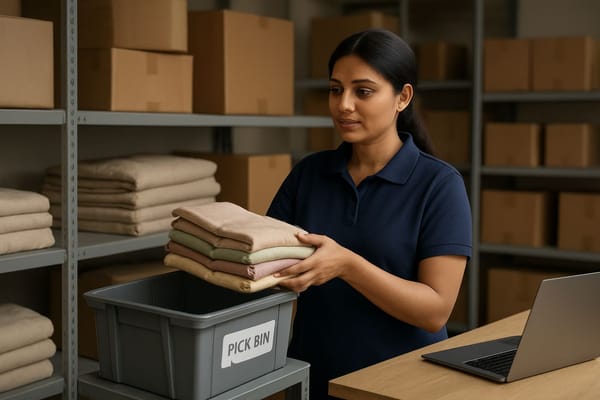
Commmerce is an Omnichannel Retail Operating System for Indian retailers. Its warehouse module turns accepted orders into pick lists with path-optimised picking, supports single-order and batch picking with cart slots, and uses barcode verification at the pick, pack and dispatch steps. It shares one ledger with the rest of the platform, so stock does not need reconciling between systems.
It does not fit everyone. If you fulfil only a handful of orders a day and are happy to keep fulfilment informal, a tidy spreadsheet and clear labels may be enough for now. The module suits owners who want a defined process and expect volume to grow. For a deeper look at the buying side, read about WMS software for multi-store chains.
What about GST and paperwork?
A WMS does not replace your tax records, but scan-based dispatch makes it simpler to match what left the building with what you invoiced. Keep your invoicing aligned with the rules published on cbic-gst.gov.in, and let the warehouse record be the physical proof behind it.
Frequently asked questions
At how many orders a day should I consider a WMS?
A rough guide is around 20 orders a day, or earlier if your wrong-item returns are already visible. Below that, tight labelling and a checklist may be enough.
Is a WMS the same as inventory management software?
No. Inventory software tracks quantities and sales. A WMS manages the physical work of receiving, storing, picking, packing and dispatching.
Will a WMS work with a small team of three or four people?
Yes, as long as the team scans at each step and positions are labelled. The system guides the work, so new staff learn the routine faster.
Do I need handheld scanners?
Not always. Check whether the system runs on phones or tablets you already own before buying any hardware.