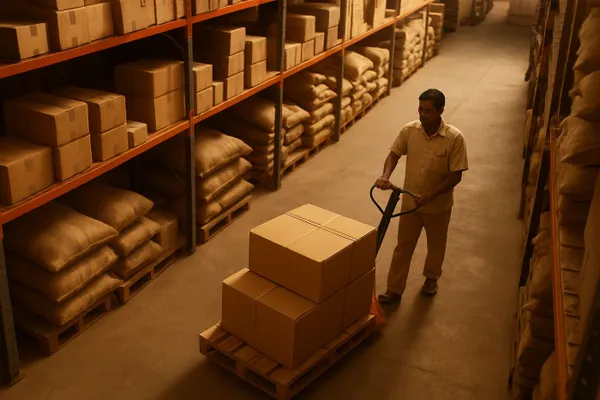
An online order assigned to a store does not ship by itself. If nobody at that store accepts it, the order sits in a queue, the customer waits, and the stock stays locked against a sale that may never leave the building. The fix is a clock on every assigned order and an automatic hand-off to the next store when the clock runs out.
Why do assigned online orders get ignored?
Stores ignore online orders because the person who should pack them is serving a customer at the counter. The order is not visible enough, it has no deadline, and nobody is judged on how fast it was accepted.
Walk-in sales have a face and a queue. An online order has a notification that is easy to miss on a busy Saturday. The result is a quiet pattern: some stores accept in minutes, others open the screen at closing time. Retail in India is growing fast, and the India Brand Equity Foundation retail overview tracks how much of that growth now involves online and mixed channels, which means more orders landing on stores that were built for walk-ins.
Three causes show up again and again:
- No visible deadline. The order says "assigned" but not "accept within 30 minutes".
- One shared inbox. Alerts go to a general store login, so everyone assumes someone else saw it.
- No cost to the store. A store that ignores an order loses nothing, while the chain loses the sale.
What does an ignored order actually cost?
An ignored order costs the sale, the stock and the customer's next order. The sale is lost when the buyer cancels or the order ships too late, and the stock stays unavailable to every other channel while the order waits.
Think through one order for a pair of sports shoes assigned to Store A. Store A has the last pair in size 9. While the order waits, the website shows that pair as reserved, so a walk-in customer at Store B cannot be offered it either, and a marketplace listing may go out of stock. After a few hours the buyer cancels, the unit is released, and by then two other sales may already have been turned away. This is the same stock-lock problem described in order cancellations stranding stock, only caused by silence instead of a cancel button.
The cost is rarely visible in one place. It hides inside cancellation rates, late dispatch numbers and customer complaints, so owners blame couriers when the delay happened before the parcel was even packed.
How do you set a clock on every assigned order?
Give each assigned order an accept-by time and show it on the store's screen as a countdown. A clock turns "please check online orders" into a rule a store manager can act on.
Pick the window by order type, not one number for everything:
| Order type | Suggested accept-by window | Why |
|---|---|---|
| Same-day or local delivery | 10 to 20 minutes | The delivery promise starts the moment the order is placed |
| Standard courier shipment | 30 to 60 minutes in store hours | Pickup slots are fixed, so late acceptance misses the courier |
| Click and collect | 30 minutes | The buyer is told when the order will be ready |
| Order placed after closing | Within the first 30 minutes of the next opening | Do not count hours the store is shut |
These are starting points, not industry rules. Measure your own accept times for two weeks, then set the window a little above what your fastest half of stores already achieve. If you already run pickup orders, the same logic sits behind setting up click and collect.
How do you reassign an order when a store does not respond?
When the clock runs out, move the order to the next best store that has the stock, and tell the original store it was moved. The customer should never learn that any of this happened.
The choice of the next store matters. Choose by available stock first, then by distance to the delivery pincode, then by how many open orders the store already carries. A store that is already overloaded is a poor second choice. Our guide on capping online orders per store at peak hours covers how to keep that load in check, and ship from store versus warehouse explains when the warehouse should be the fallback instead of another store.
Reassignment has two rules that protect trust. First, release the stock at the first store before reserving it at the second, so the same unit is never counted twice. Second, tell the original store manager clearly. A silent reassignment teaches the store that ignoring orders is harmless.
How to reassign ignored online orders step by step
Follow these steps in order. Each one can be tested on a single product line before you roll it out to every store.
- Measure your current accept time by store for two weeks, using order created time and first accepted time.
- Set an accept-by window for each order type, using the table above as a starting point.
- Send a warning to the store manager at about two thirds of the window, by push, WhatsApp or SMS, not only to a shared login.
- Escalate when the window ends: reassign the order to the next store that has stock and is not already overloaded.
- Release the stock at the first store the moment the order moves, and reserve it at the new store in the same step.
- Review a weekly report of orders reassigned per store, and talk to the managers at the top of the list.
Commmerce, an Omnichannel Retail Operating System for Indian retailers, lets a workflow state carry an SLA in hours with a warning before it is breached, and lets an escalation rule notify a role or person and reassign the document. That is the mechanism these steps rely on. How an order is first routed to a store is a separate setting, so check how your own channels are configured.
What should you track after the change?
Track accept time by store, the share of orders reassigned, and the cancellation rate before and after. These three numbers show whether the clock is working or just moving the problem.
- Median accept time per store. It should fall within two to three weeks.
- Reassigned orders as a share of all store orders. A high share at one store points to a staffing or training gap, not a system gap.
- Cancellations that happened before packing. This is the number that tells you the ignored order problem is shrinking.
- Delivery promise kept. Compare it with what last-mile SLA tracking shows, so you can tell store delay from courier delay.
Do not punish stores for every reassignment in the first month. The aim is to learn why orders are missed. Some stores simply have no one on the floor between two and four in the afternoon, and the right fix is a shift change, not a warning letter.
When is reassignment the wrong answer?
Reassignment is the wrong answer when the item exists at only one store, such as a custom piece or the last unit of a limited design. In that case, escalate to a person instead of moving the order.
It is also a poor fit for fragile or high-value goods where a longer shipping distance adds risk, and for stores that are closed for a local holiday. For those, mark the store as unavailable in advance so orders are never assigned there at all. Compliance questions around invoicing across states when an order ships from a different state's store belong to your accountant; the CBIC GST portal is the place to check the rules before you let orders cross state lines.
Frequently asked questions
How long should a store have to accept an online order?
Between 10 and 60 minutes during store hours, depending on the order type. Same-day orders need the shortest window, standard courier orders can allow longer.
Will the customer know the order moved to another store?
No, as long as the delivery promise is still met. The customer sees one order, one status and one tracking link.
What if every nearby store has also ignored the order?
Escalate to a named person at head office or fall back to the warehouse, instead of letting the order bounce between stores.
Does this work for a chain with only three or four stores?
Yes. Small chains often have the worst accept times because each store has one person doing everything, so a clock helps even more.